Sending a prank is easy!
1. Tap on the "Send Prank" menu button
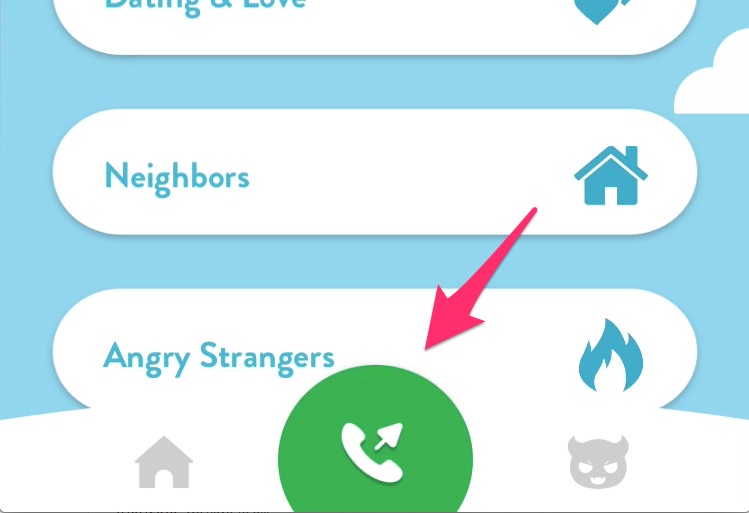
2. Select a prank to send and tap on "Send"

3. Choose the recipient from your contacts
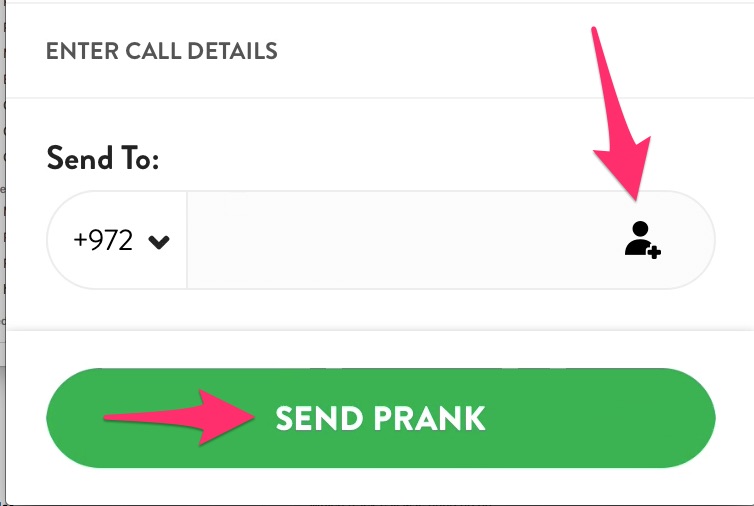
4. Wait for the prank to send, listen to the reaction recording!
Sending a prank is easy!
1. Tap on the "Send Prank" menu button
2. Select a prank to send and tap on "Send"
3. Choose the recipient from your contacts
4. Wait for the prank to send, listen to the reaction recording!
Comments
3 comments
How do you select a state?
I am from serbia and it says that i can send pranks but everytime i do it says failed and then try again?? What do i do to make it work
I dont understand the new system of getting a random number. I enter the area code in the search bar, but it doesn't give me numbers!
Please sign in to leave a comment.